
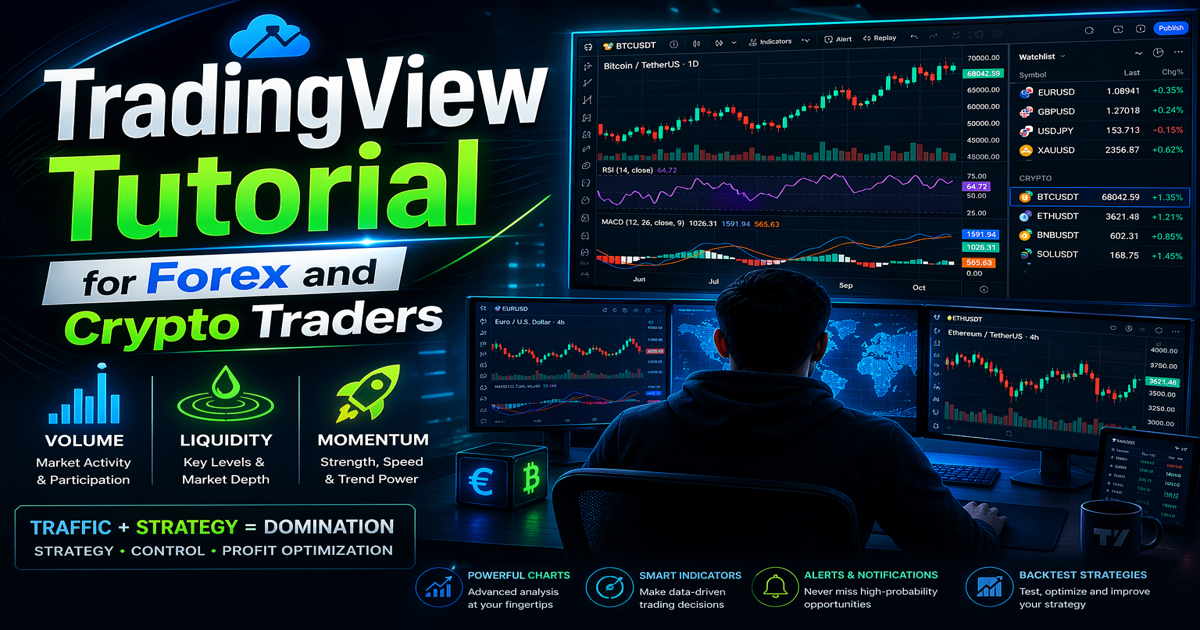
1. Introduction to TradingView and Market Traffic
Successful trading is not only about predicting price movements—it is about understanding how money flows through the market. Every second, thousands of traders, institutions, and algorithms place buy and sell orders. This constant activity creates what we call market traffic.
In simple terms, market traffic refers to the movement and concentration of trading activity that drives price changes. When traders learn to read this traffic correctly, they gain a significant advantage in the market.
Modern charting platforms like TradingView make it possible to observe this traffic visually. Through advanced charts, indicators, and analytical tools, traders can identify where money is entering or leaving the market and make informed decisions based on real data rather than guesswork.
At Traffic Domination, the core philosophy is simple:
Traffic (Volume, Liquidity, Momentum) → Domination (Strategy, Control, Profit Optimization)
Understanding these three components of traffic allows traders to build strategies that are based on market behavior instead of emotions.
Understanding Market Traffic in Trading
Market traffic consists of three main forces that influence price movements.
1. Market Volume
Volume represents the total number of trades executed during a specific time period. It shows how active the market is and indicates the level of participation from traders and institutions.
High volume usually means:
- Strong interest in the asset
- Increased volatility
- Greater potential for trend continuation
For example, if a cryptocurrency suddenly experiences a surge in volume, it often signals that large traders or institutions are entering the market. This influx of activity can drive powerful price movements.
On the other hand, low volume may indicate weak interest, which can lead to slow or unpredictable price action.
With tools available on TradingView, traders can monitor volume indicators directly on their charts to identify whether a price move is supported by strong market participation.
2. Liquidity
Liquidity refers to how easily an asset can be bought or sold without significantly affecting its price.
Markets with high liquidity usually have:
- Tight spreads
- Fast order execution
- Stable price movements
Major Forex pairs such as EUR/USD and GBP/USD typically have high liquidity because they are traded by banks, institutions, and retail traders worldwide.
In the crypto market, assets like Bitcoin and Ethereum tend to have higher liquidity compared to smaller altcoins.
Liquidity is important because it reveals where large amounts of orders are concentrated. These areas often act as strong support or resistance levels, where price may reverse or accelerate.
Using charting tools in TradingView, traders can identify these key liquidity zones by analyzing:
- Historical support and resistance
- Volume spikes
- Order flow patterns
Recognizing these areas allows traders to position themselves strategically in the market.
3. Momentum
While volume and liquidity show where activity is happening, momentum reveals how strong the price movement is.
Momentum measures the speed and strength of price changes. Strong momentum indicates that buyers or sellers are dominating the market.
For example:
- Strong bullish momentum means buyers are aggressively pushing prices higher.
- Strong bearish momentum means sellers are driving prices downward.
Momentum indicators such as RSI, MACD, and moving averages—available on TradingView—help traders determine whether a trend is likely to continue or weaken.
By combining momentum analysis with volume and liquidity, traders gain a clearer picture of market direction and strength.
Why TradingView Is Essential for Market Traffic Analysis
Among the many trading platforms available today, TradingView stands out because it provides powerful tools that help traders analyze market traffic effectively.
Some of its most valuable features include:
- Advanced charting tools
- Hundreds of technical indicators
- Real-time market data
- Customizable trading layouts
- Strategy backtesting tools
- Community-shared trading ideas
These tools allow traders to study price behavior across multiple markets including Forex, cryptocurrencies, stocks, and commodities.
Because of its intuitive interface and powerful analytical capabilities, TradingView has become one of the most widely used platforms among both beginner and professional traders.
The Traffic Domination Philosophy
At Traffic Domination, trading is viewed as a process of understanding and controlling market traffic rather than simply predicting price movements.
The formula is straightforward:
Traffic (Volume, Liquidity, Momentum)
leads to
Domination (Strategy, Control, Profit Optimization)
This means that traders who can properly analyze market traffic gain the ability to:
- Build stronger trading strategies
- Control risk more effectively
- Optimize profit opportunities
Instead of relying on random signals or emotional decisions, traders use data-driven analysis to guide their trades.
2. Creating and Setting Up Your TradingView Account
Before you can start analyzing markets and identifying volume, liquidity, and momentum, the first step is to create and properly configure your account on TradingView. A well-organized setup allows traders to monitor multiple markets, apply indicators quickly, and analyze price movements with greater efficiency.
At Traffic Domination, we emphasize that the right tools and environment are essential for understanding market traffic and building strategies that lead to consistent results.
Why Setting Up TradingView Correctly Matters
Many beginner traders underestimate the importance of a properly configured trading platform. However, your chart layout, watchlists, and indicators directly affect how quickly you can interpret market conditions.
A well-structured TradingView setup allows you to:
- Track Forex and crypto markets simultaneously
- Quickly detect volume spikes and momentum shifts
- Identify liquidity zones and price trends
- Apply your trading strategy with better control
Taking a few minutes to configure your account correctly can significantly improve your trading workflow.
Steps to Create a TradingView Account
Creating an account on TradingView is simple and takes only a few minutes.
Step 1: Visit the Official Website
Open your browser and go to the official TradingView website.
Once the homepage loads, you will see options to explore charts, trading ideas, and community analysis.
Step 2: Click “Sign Up”
On the homepage, locate the Sign Up button, usually found in the top-right corner of the screen. Clicking this will open the registration page.
Step 3: Choose a Registration Method
TradingView allows multiple ways to create an account. You can register using:
- Email address
- Google account
- Apple ID
- Other supported social media platforms
Most traders prefer email registration because it allows full control over login credentials and notifications.
After registering, verify your email address to activate your account.
Step 4: Choose Your Subscription Plan
TradingView offers several pricing tiers depending on the features you need.
Free Plan
The free version provides access to essential tools, including:
- Interactive charts
- Basic indicators
- Limited alerts
- One chart per layout
For beginners learning technical analysis, the free plan is usually sufficient.
Pro Plan
The Pro plan adds additional features such as:
- More indicators per chart
- Multiple chart layouts
- Additional alerts
Pro+ Plan
This plan is designed for active traders who require:
- More indicators
- Faster data updates
- Multiple device usage
Premium Plan
The Premium plan offers the most advanced features, including:
- Maximum indicators per chart
- More alerts
- Advanced charting tools
Most beginner Forex and crypto traders can start with the free version and upgrade later as their strategies become more advanced.
Initial TradingView Setup
Once your account is created, the next step is customizing your workspace. Proper setup ensures you can quickly analyze market traffic and price movement without distractions.
1. Choose a Chart Theme
TradingView allows you to select between Dark Mode and Light Mode.
Dark Mode advantages:
- Easier on the eyes during long trading sessions
- Popular among professional traders
- Makes candlestick colors easier to distinguish
Light Mode advantages:
- Cleaner interface
- Better for daylight environments
Most traders prefer dark mode because it reduces eye strain when analyzing charts for extended periods.
2. Select a Default Timeframe
Timeframes determine how price data is displayed on charts.
Common timeframes include:
Short-term trading
- 1 minute
- 5 minutes
- 15 minutes
Intraday trading
- 30 minutes
- 1 hour
- 4 hours
Swing trading
- Daily
- Weekly
For beginners, the 1-hour and 4-hour timeframes are often recommended because they provide clearer market trends and reduce noise.
3. Add Your Favorite Indicators
Indicators help traders analyze market traffic components such as volume and momentum.
Some useful indicators to add to your favorites list include:
- Volume
- Moving Average
- RSI (Relative Strength Index)
- MACD
- VWAP
Saving indicators as favorites allows you to quickly apply them to charts when analyzing different assets.
4. Create Watchlists for Forex and Crypto
A watchlist helps you track multiple assets in one place. Instead of searching for pairs every time, you can monitor your preferred markets instantly.
Creating separate watchlists for Forex and cryptocurrency markets helps organize your trading workflow.
Example Forex Watchlist
Some of the most actively traded Forex pairs include:
- EUR/USD
- GBP/USD
- USD/JPY
- AUD/USD
- USD/CAD
These pairs typically have high liquidity and strong market traffic, making them ideal for technical analysis.
Example Crypto Watchlist
Popular cryptocurrency pairs include:
- BTC/USDT
- ETH/USDT
- SOL/USDT
- BNB/USDT
- XRP/USDT
Cryptocurrency markets operate 24 hours a day, which means traders can monitor market traffic at any time.
Organizing Your Watchlist for Efficiency
To maximize efficiency, traders often organize watchlists based on:
- Market type (Forex or Crypto)
- Volatility
- Trading strategy
For example, you might create categories such as:
High Liquidity Pairs
High Volatility Assets
Long-Term Investment Coins
This organization helps traders quickly identify where volume and momentum are strongest.
3. Understanding the TradingView Interface
Before you begin analyzing charts or building trading strategies, it is essential to understand the layout and tools available in the TradingView interface. The platform is designed to provide traders with a powerful yet user-friendly environment where they can monitor markets, apply indicators, and analyze price movements in real time.
For beginners, the TradingView dashboard may look complex at first. However, once you understand the main components, navigating the platform becomes much easier. Each section of the interface serves a specific purpose and helps traders interpret market traffic, which includes volume, liquidity, and momentum.
At Traffic Domination, mastering the platform interface is considered a crucial step toward controlling your analysis environment and making better trading decisions.
Main Components of the TradingView Interface
The TradingView dashboard consists of several key sections that work together to provide a complete trading analysis workspace.
1. Chart Area
The Chart Area is the most important part of the TradingView interface. It is the central workspace where traders analyze price movements and observe how markets behave over time.
This section displays the price chart of the selected asset, such as a Forex currency pair or cryptocurrency. Traders use this area to monitor price trends, identify trading opportunities, and apply technical indicators.
Key functions of the Chart Area include:
- Displaying real-time price movements
- Showing historical price data
- Allowing traders to apply indicators and drawing tools
- Supporting different chart types for various trading strategies
TradingView supports multiple chart types including:
- Candlestick charts
- Line charts
- Bar charts
- Heikin Ashi charts
Among these, candlestick charts are the most widely used because they provide detailed information about market sentiment, including opening price, closing price, highs, and lows.
By analyzing the chart area, traders can observe:
- Market trends
- Price breakouts
- Support and resistance levels
- Momentum shifts
This visual representation helps traders understand where market traffic is flowing and where opportunities may develop.
2. Left Toolbar
The Left Toolbar contains a collection of drawing tools that allow traders to perform technical analysis directly on their charts. These tools help identify patterns, trends, and important price levels.
Some of the most commonly used drawing tools include:
Trend Lines
Trend lines are used to identify the general direction of the market. Traders draw them by connecting multiple price highs or lows.
Uptrend lines indicate bullish momentum, while downtrend lines suggest bearish pressure.
Fibonacci Retracement
Fibonacci retracement is a popular tool used to identify potential support and resistance levels based on mathematical ratios.
Traders often use Fibonacci levels to predict areas where the market may pull back before continuing a trend.
Support and Resistance Tools
Support and resistance lines help traders identify key price zones where buying or selling activity is likely to increase.
Support levels represent areas where buyers tend to enter the market.
Resistance levels represent areas where sellers often appear.
Other useful tools in the left toolbar include:
- Horizontal lines
- Channels
- Rectangle zones
- Text annotations
- Measurement tools
These drawing tools help traders visually map liquidity zones and potential market reactions.
3. Top Toolbar
The Top Toolbar provides quick access to essential chart settings and analysis tools. This section allows traders to customize their charts, change timeframes, and apply indicators.
Important features in the top toolbar include:
Indicators
The Indicators menu allows traders to add technical indicators to their charts. These indicators help measure important market conditions such as:
- Trend direction
- Momentum strength
- Market volatility
- Trading volume
Popular indicators available on TradingView include:
- Moving Average
- RSI (Relative Strength Index)
- MACD
- Volume
- Bollinger Bands
By combining multiple indicators, traders can gain deeper insight into market behavior.
Timeframes
The timeframe selector allows traders to view price movements over different periods.
Common timeframes include:
Short-term trading:
- 1 minute
- 5 minutes
- 15 minutes
Intraday trading:
- 30 minutes
- 1 hour
- 4 hours
Long-term analysis:
- Daily
- Weekly
- Monthly
Changing the timeframe helps traders observe both short-term price fluctuations and long-term market trends.
Chart Layout Options
TradingView also allows users to customize how charts are displayed.
Some layout options include:
- Single chart view
- Multiple chart layouts
- Chart synchronization across assets
Professional traders often use multiple chart layouts to analyze several markets simultaneously.
For example, a trader might monitor:
- EUR/USD on the 1-hour chart
- Bitcoin on the 4-hour chart
- Ethereum on the daily chart
This setup makes it easier to track market traffic across different assets at the same time.
4. Right Panel
The Right Panel provides additional tools that support market monitoring and trading decisions.
This section helps traders stay updated with market activity and manage their trading workflow efficiently.
Key features of the right panel include:
Watchlists
Watchlists allow traders to track multiple assets in one place. Instead of searching for symbols repeatedly, traders can create a list of their preferred markets.
Typical watchlists may include:
Forex pairs:
- EUR/USD
- GBP/USD
- USD/JPY
Cryptocurrency pairs:
- BTC/USDT
- ETH/USDT
- SOL/USDT
This feature makes it easier to monitor price movements, volume changes, and momentum shifts across different markets.
Alerts
Alerts notify traders when specific market conditions occur. This allows traders to stay informed without constantly watching charts.
Examples of alert conditions include:
- Price reaching a certain level
- Indicator crossing a threshold
- Trendline breakouts
Alerts can be sent through:
- Mobile notifications
- Desktop notifications
This feature is especially useful in 24-hour markets like cryptocurrency trading.
News Feed
The news section provides real-time updates about financial markets. Important economic announcements, geopolitical events, and market developments often influence price movements.
Monitoring news helps traders understand why market traffic is increasing or decreasing.
Economic Calendar
The economic calendar lists upcoming financial events such as:
- Interest rate decisions
- Inflation reports
- Employment data releases
These events often cause large movements in Forex markets, making them important for traders to track.
4. Choosing the Right Chart Type for Trading
One of the most important decisions traders make when analyzing markets is choosing the right chart type. Charts are the primary tool used to visualize price movements, identify trends, and understand how market participants are behaving.
Modern trading platforms such as TradingView offer multiple chart styles, each designed to present price data in a different way. While all charts display the same market information, the format in which that information is presented can significantly affect how traders interpret market conditions.
At Traffic Domination, chart selection plays an important role in analyzing market traffic, which includes:
- Volume
- Liquidity
- Momentum
Choosing the appropriate chart type helps traders clearly see how price reacts to these forces and improves their ability to build effective trading strategies.
Why Chart Types Matter in Trading
Charts are visual representations of price movement over time. They help traders understand how an asset has behaved historically and how it might behave in the future.
Different chart types highlight different aspects of price action, such as:
- Market trends
- Price volatility
- Support and resistance levels
- Momentum strength
For example, some charts emphasize simplicity and trend clarity, while others provide detailed price data for technical analysis.
Selecting the right chart type depends on the trader’s strategy, experience level, and the type of market being analyzed.
Common Chart Types Used by Traders
TradingView offers several chart styles, but four of the most widely used types are candlestick charts, line charts, bar charts, and Heikin Ashi charts.
Candlestick Chart
The candlestick chart is the most popular chart type among professional traders in both Forex and cryptocurrency markets.
Each candlestick represents price activity during a specific time period and displays four important pieces of information:
- Opening price – the price at which the asset began trading during the period
- Closing price – the price at which trading ended for that period
- High price – the highest price reached during that timeframe
- Low price – the lowest price reached during that timeframe
The body of the candle shows the difference between the opening and closing prices, while the thin lines above and below the body (called wicks or shadows) show the highest and lowest prices reached.
Candlestick charts are powerful because they reveal market psychology. By studying candle patterns, traders can understand whether buyers or sellers are dominating the market.
Common candlestick patterns include:
- Doji
- Hammer
- Engulfing patterns
- Shooting star
These patterns help traders identify potential trend reversals or continuations.
Candlestick charts also make it easier to observe volume spikes, liquidity zones, and momentum shifts, which are essential components of market traffic analysis.
Line Chart
The line chart is the simplest type of chart available in TradingView.
Instead of displaying full price data, the line chart connects the closing prices of each time period with a continuous line. This creates a smooth representation of price movement over time.
Because it removes detailed information such as highs and lows, the line chart provides a clean and easy-to-understand overview of market direction.
Line charts are especially useful for:
- Beginner traders learning market trends
- Long-term market analysis
- Identifying overall price direction
However, the downside of line charts is that they lack detailed information needed for advanced technical analysis. Traders cannot easily identify candlestick patterns or intraday volatility using this chart type.
For this reason, line charts are often used for quick trend analysis rather than precise trade execution.
Bar Chart
The bar chart, also known as the OHLC chart, is another traditional chart type used by traders.
Like candlestick charts, bar charts display four key price values:
- Open
- High
- Low
- Close
Each bar contains a vertical line showing the high and low prices, while small horizontal ticks indicate the opening and closing prices.
Although bar charts provide the same information as candlestick charts, they are often considered less visually intuitive. Many traders find candlestick charts easier to interpret because the candle body clearly shows bullish or bearish sentiment.
However, some experienced traders prefer bar charts because they offer precise price information without the visual distractions of candlestick colors.
Bar charts are commonly used in traditional financial markets, but they are less popular among newer traders.
Heikin Ashi Chart
The Heikin Ashi chart is a modified version of the candlestick chart designed to highlight trends and filter out market noise.
Instead of displaying raw price data, Heikin Ashi candles use a mathematical formula that averages price movements. This creates smoother trends and reduces short-term fluctuations.
Because of this smoothing effect, Heikin Ashi charts are particularly useful for identifying strong market momentum.
Key characteristics of Heikin Ashi charts include:
- Long candles during strong trends
- Fewer false signals compared to traditional candlesticks
- Clear visualization of bullish or bearish momentum
For example:
- A series of strong green candles may indicate a powerful uptrend.
- A sequence of red candles suggests strong selling pressure.
Many traders use Heikin Ashi charts when following trend-based strategies, as they make it easier to stay in trades during strong market movements.
However, because these candles are calculated using averages, they may slightly lag behind actual price data.
Which Chart Type Is Best for Forex and Crypto Trading?
Although each chart type has its advantages, candlestick charts are generally considered the most effective for Forex and cryptocurrency trading.
Candlestick charts provide the perfect balance between visual clarity and detailed price information, allowing traders to quickly interpret market behavior.
With candlestick charts, traders can easily identify:
- Market trends
- Reversal patterns
- Support and resistance levels
- Momentum changes
- Liquidity zones
This detailed view makes candlestick charts ideal for analyzing market psychology and traffic flow.
In fast-moving markets like Forex and crypto, where prices can change rapidly, having clear and detailed price information is essential for making timely trading decisions.
5. Using Indicators to Analyze Market Traffic
Technical indicators are essential tools that help traders interpret market data and make informed trading decisions. Instead of relying solely on price movement, indicators provide mathematical calculations based on price, volume, and time, allowing traders to identify trends, momentum, and potential market reversals.
Modern charting platforms such as TradingView offer hundreds of built-in indicators that can be applied directly to charts. These tools help traders analyze what we refer to as market traffic—the flow of buying and selling activity that drives price movements.
At Traffic Domination, indicators are used to understand the three core components of market traffic:
- Volume – the amount of trading activity in the market
- Liquidity – the availability of buyers and sellers
- Momentum – the strength and speed of price movement
By combining different indicators, traders can develop a clearer picture of how the market is behaving and where potential opportunities may appear.
Why Indicators Are Important for Traders
Price charts show historical movements, but indicators provide deeper insights by analyzing patterns and market behavior. They help traders answer important questions such as:
- Is the current trend strong or weakening?
- Are buyers or sellers dominating the market?
- Is the market overbought or oversold?
- Is trading activity increasing or decreasing?
These insights allow traders to make data-driven decisions instead of emotional guesses.
While there are hundreds of indicators available, most traders rely on a few essential ones that effectively measure volume, trend direction, and momentum.
Popular TradingView Indicators
Below are some of the most commonly used indicators for analyzing market traffic on TradingView.
1. Volume Indicator
The Volume Indicator measures how many trades are executed during a specific time period. It is one of the simplest yet most powerful tools for understanding market activity.
Volume is usually displayed as vertical bars at the bottom of the chart. Each bar represents the number of shares, contracts, or coins traded during that timeframe.
Key insights provided by volume include:
- High volume indicates strong market participation.
- Low volume suggests weaker interest in the asset.
- Volume spikes often occur during breakouts or major news events.
For example, if the price of Bitcoin breaks above a resistance level with high volume, it often signals that buyers are entering the market aggressively. This type of movement typically has a higher probability of continuing.
On the other hand, if a breakout occurs with low volume, the move may lack strength and could reverse quickly.
Because of this, many professional traders consider volume confirmation essential when evaluating trade setups.
2. Relative Strength Index (RSI)
The Relative Strength Index (RSI) is a widely used momentum indicator that measures the speed and magnitude of recent price changes.
RSI values range from 0 to 100 and help traders identify whether a market may be overbought or oversold.
Typical RSI levels include:
- Above 70 – Overbought conditions
- Below 30 – Oversold conditions
When the RSI moves above 70, it may indicate that the asset has risen too quickly and could experience a price correction. Conversely, when the RSI drops below 30, it may signal that the asset is undervalued and could bounce upward.
Traders also use RSI to detect momentum shifts. For example, if the RSI begins rising while price stabilizes, it could indicate increasing buying pressure.
RSI is particularly useful in range-bound markets, where prices frequently move between support and resistance levels.
3. Moving Averages
Moving Averages are trend-following indicators that smooth out price data by calculating the average price over a specific number of periods.
They help traders identify the overall direction of the market and filter out short-term price fluctuations.
Two common types of moving averages include:
- Simple Moving Average (SMA) – Calculates the average price over a fixed period.
- Exponential Moving Average (EMA) – Gives more weight to recent prices, making it more responsive to market changes.
Moving averages can be used in several ways:
Identifying Market Trends
If the price is consistently above a moving average, the market is typically in an uptrend.
If the price stays below a moving average, the market may be in a downtrend.
Dynamic Support and Resistance
Moving averages often act as dynamic support or resistance levels where price temporarily pauses or reverses.
Moving Average Crossovers
When a shorter-term moving average crosses above a longer-term moving average, it may signal the start of a bullish trend. The opposite crossover can indicate a bearish trend.
Because moving averages highlight the overall direction of the market, they are widely used in trend-following strategies.
4. MACD (Moving Average Convergence Divergence)
The MACD is a powerful indicator used to measure trend strength and momentum. It is based on the relationship between two moving averages.
MACD consists of three main components:
- MACD Line – shows the difference between two moving averages
- Signal Line – a moving average of the MACD line
- Histogram – represents the distance between the MACD line and the signal line
Traders watch for MACD crossovers to identify potential trading signals.
For example:
- When the MACD line crosses above the signal line, it may indicate increasing bullish momentum.
- When the MACD line crosses below the signal line, it may signal growing bearish pressure.
The MACD histogram also helps traders see whether momentum is strengthening or weakening over time.
Because it combines both trend and momentum analysis, the MACD is often used to confirm trading signals from other indicators.
Combining Indicators for Better Market Analysis
While each indicator provides useful information individually, their real power comes from combining them together.
For example, a trader might look for the following conditions before entering a trade:
- Price breaking a resistance level
- Volume increasing during the breakout
- RSI showing strong momentum
- MACD confirming trend direction
When multiple indicators support the same idea, the probability of a successful trade often increases.
However, traders should avoid adding too many indicators to their charts. Too many signals can create confusion and make analysis more difficult.
Most professional traders prefer two to four well-chosen indicators that complement each other.
6. Drawing Support and Resistance Levels
One of the most fundamental skills in trading is identifying support and resistance levels. These levels act as key decision zones in the market where price is likely to pause, reverse, or break out.
On platforms like TradingView, drawing support and resistance is simple, yet extremely powerful when used correctly. These levels help traders understand where market traffic is concentrated, making them essential for price control and trade planning.
At Traffic Domination, support and resistance are viewed as areas where liquidity, volume, and momentum interact, creating high-probability trading opportunities.
What Are Support and Resistance Levels?
Support and resistance are not just lines on a chart—they represent psychological price zones where traders make decisions.
Support Level
A support level is a price zone where buying pressure tends to increase.
When price approaches support:
- Buyers enter the market
- Selling pressure weakens
- Price may bounce upward
This happens because traders see the price as “cheap” or undervalued at that level.
For example, if a currency pair repeatedly bounces from a certain price, that level becomes a strong support zone.
Resistance Level
A resistance level is a price zone where selling pressure tends to increase.
When price approaches resistance:
- Sellers enter the market
- Buying pressure weakens
- Price may reverse downward
This occurs because traders consider the price “expensive” or overvalued at that level.
If price fails multiple times to break above a certain level, it becomes a strong resistance zone.
Why Support and Resistance Matter
Support and resistance levels are critical because they reveal where market participants are most active.
These levels help traders:
- Identify entry and exit points
- Set stop-loss and take-profit levels
- Understand market structure
- Anticipate potential price reversals or breakouts
Most importantly, these zones highlight areas of high liquidity, where large buy and sell orders are placed.
How to Draw Support and Resistance in TradingView
Drawing these levels on TradingView is simple, but accuracy improves with practice.
Step 1: Select the Horizontal Line Tool
On the left toolbar, choose the horizontal line tool. This tool allows you to mark key price levels across the chart.
Step 2: Identify Key Price Zones
Look for areas where the price has:
- Reversed multiple times
- Paused before continuing a trend
- Experienced strong reactions (sharp moves up or down)
These zones are more important than exact price points. Think of support and resistance as areas or zones, not single lines.
Step 3: Draw Lines at Key Levels
Place horizontal lines at:
- Previous swing highs (resistance)
- Previous swing lows (support)
- Consolidation zones
The more times price touches a level and reacts, the stronger that level becomes.
Step 4: Adjust and Refine
As the market evolves, update your levels. Sometimes price may slightly break a level before reversing—this is normal.
Professional traders often draw zones instead of thin lines to account for these variations.
Understanding Liquidity Through Support and Resistance
Support and resistance levels are closely linked to liquidity, which is a core component of market traffic.
These zones represent areas where:
- Large institutions place buy or sell orders
- Stop-loss orders accumulate
- Market participants react collectively
For example:
- Below support, many stop-loss orders from buyers are placed
- Above resistance, stop-loss orders from sellers accumulate
When price reaches these zones, it often triggers increased market activity, leading to strong movements.
This is why support and resistance are considered liquidity zones where market traffic builds up.
Trading Strategies Using Support and Resistance
Professional traders use these levels in different ways depending on market conditions.
1. Bounce Trading (Reversal Strategy)
Traders expect price to reverse at support or resistance.
Example:
- Buy near support
- Sell near resistance
This strategy works best in range-bound markets.
2. Breakout Trading
Traders wait for price to break through support or resistance with strong momentum.
Example:
- Buy when price breaks above resistance
- Sell when price breaks below support
Breakouts are often accompanied by high volume and strong momentum, indicating increased market traffic.
3. Retest Strategy
After a breakout, price often returns to test the previous level before continuing.
Example:
- Resistance becomes new support
- Support becomes new resistance
This is one of the most reliable trading setups used by professionals.
MT4 Indicators vs Custom Indicators What Works Better
7. Using TradingView Alerts for Smart Trading
In fast-moving markets like Forex and cryptocurrency, opportunities can appear and disappear within minutes. Constantly watching charts all day is not only exhausting but also inefficient. This is where alerts become one of the most powerful tools available on TradingView.
Alerts allow traders to automate market monitoring by notifying them when specific conditions are met. Instead of manually checking charts, traders can rely on alerts to stay informed and react quickly to important price movements.
At Traffic Domination, alerts are considered a key part of maintaining strategy control and execution efficiency, helping traders respond to market traffic (volume, liquidity, momentum) in real time.
Why Alerts Are Important in Trading
Financial markets never stop moving. While Forex markets operate 24 hours a day during weekdays, cryptocurrency markets run 24/7 without interruption.
Because of this, traders face several challenges:
- Missing trade opportunities while offline
- Inability to monitor multiple assets simultaneously
- Delayed reaction to sudden market movements
TradingView alerts solve these problems by acting as your automated monitoring system.
Benefits of Using Alerts
1. Monitor Multiple Assets Easily
Instead of focusing on one chart at a time, alerts allow you to track dozens of assets simultaneously.
For example, you can set alerts for:
- EUR/USD reaching a support level
- Bitcoin breaking resistance
- Ethereum showing strong momentum
This allows you to stay informed about market traffic across multiple markets without constant screen time.
2. Avoid Missing Opportunities
Markets often move quickly, especially during:
- News releases
- High-volume trading sessions
- Breakouts and trend reversals
Without alerts, traders may miss these critical moments. Alerts ensure that you are notified the instant a trading opportunity appears.
3. React Instantly to Market Momentum
Momentum is a key part of market traffic. When price starts moving strongly in one direction, timing becomes crucial.
Alerts help traders:
- Enter trades at the right moment
- Confirm breakout movements
- Exit trades when conditions change
This ability to react quickly can significantly improve trading performance.
4. Reduce Screen Time and Stress
Watching charts for hours can lead to fatigue and emotional decision-making.
Alerts allow traders to:
- Step away from the screen
- Focus on high-probability setups only
- Trade more efficiently with less stress
This creates a more disciplined and professional trading approach.
Types of Alerts You Can Use in TradingView
TradingView offers several types of alerts that can be customized based on your trading strategy.
Price-Based Alerts
These alerts trigger when the price reaches or crosses a specific level.
Examples:
- Price crosses above resistance
- Price drops below support
- Price reaches a target level
Price alerts are the most commonly used because they align directly with support and resistance strategies.
Indicator-Based Alerts
These alerts are based on technical indicators.
Examples include:
- RSI crossing above 70 (overbought)
- RSI dropping below 30 (oversold)
- MACD bullish or bearish crossover
- Moving average crossover
Indicator alerts help traders monitor momentum and trend signals automatically.
Trendline and Drawing Alerts
TradingView also allows alerts to be set on:
- Trendlines
- Channels
- Support/resistance zones
For example, you can receive a notification when price breaks a trendline, signaling a potential shift in market direction.
How to Set Alerts in TradingView
Setting alerts in TradingView is simple and takes only a few steps.
Step 1: Right-Click on the Chart
Navigate to the price level, indicator, or drawing where you want to set the alert. Then right-click on that area.
Step 2: Select “Add Alert”
From the menu that appears, click on Add Alert. This will open the alert settings window.
Step 3: Choose the Alert Condition
Define what condition will trigger the alert. Some common options include:
- Price crossing a level
- Price moving above or below a value
- Indicator signals (e.g., RSI or MACD)
- Trendline or drawing interaction
You can also customize whether the alert triggers once or repeatedly.
Step 4: Set the Notification Method
TradingView allows multiple notification options so you can receive alerts wherever you are.
Available methods include:
- App notifications (mobile alerts)
- Email notifications
- Webhook integration (for advanced users and automated systems)
This flexibility ensures you never miss important market movements.
Step 5: Customize Alert Settings
You can further customize alerts by:
- Setting expiration dates
- Adding alert messages
- Adjusting frequency
This helps tailor alerts to your specific trading strategy.
8. Building Trading Strategies with TradingView
Many traders see TradingView as just a charting tool, but in reality, it is a complete strategy development platform. It allows traders to analyze markets, test ideas, and build structured trading systems based on real data.
At Traffic Domination, strategy building is where traders transform their understanding of market traffic (volume, liquidity, momentum) into actionable plans that lead to consistent profits.
A trading strategy is not just about when to enter a trade—it is a complete system that defines when to enter, when to exit, and how much risk to take.
Why You Need a Trading Strategy
Without a clear strategy, trading becomes random and emotionally driven. Traders may:
- Enter trades too early or too late
- Exit trades without a plan
- Risk too much on a single position
A well-defined strategy eliminates guesswork and provides consistency and discipline.
Using TradingView, traders can:
- Apply indicators to define rules
- Analyze historical price behavior
- Test strategies before using real money
- Improve decision-making based on data
Core Components of a Trading Strategy
Every successful trading strategy is built on three key components:
- Entry Conditions
- Exit Conditions
- Risk Management
When these elements are combined properly, traders can maximize profits while minimizing losses.
1. Entry Conditions
Entry conditions define when you should open a trade. These conditions are based on technical signals that indicate a potential opportunity in the market.
A good entry rule ensures that you only trade when market traffic supports your idea.
Example Entry Conditions
A trader might enter a buy trade when:
- RSI indicates the market is oversold
- Price reaches a strong support level
- Volume begins to increase
- Momentum starts shifting upward
For a sell trade, the opposite conditions may apply:
- RSI shows overbought conditions
- Price touches a resistance level
- Momentum weakens
Using TradingView for Entry Signals
TradingView makes it easy to define entry conditions by allowing traders to:
- Add indicators like RSI, MACD, and moving averages
- Draw support and resistance zones
- Set alerts for entry signals
By combining these tools, traders can create high-probability entry setups based on real market behavior.
2. Exit Conditions
While entry is important, exit conditions determine profitability. Many traders fail because they do not know when to exit a trade.
Exit rules help traders lock in profits and avoid unnecessary losses.
Example Exit Conditions
A trader may exit a trade when:
- RSI reaches overbought levels (for buy trades)
- Price hits a resistance level
- Momentum starts weakening
- A reversal signal appears
For sell trades:
- RSI becomes oversold
- Price reaches support
- Trend begins to reverse
Take Profit and Stop Loss
Exit conditions typically include:
- Take Profit (TP): A predefined level where profits are secured
- Stop Loss (SL): A level where losses are limited
Setting these levels in advance helps traders maintain discipline and avoid emotional decisions.
3. Risk Management
Risk management is the most important part of any trading strategy. Even the best strategies can fail if risk is not controlled properly.
Professional traders focus more on protecting capital than chasing profits.
Key Risk Management Elements
Stop Loss
A stop loss automatically closes a trade when the market moves against you.
Benefits:
- Limits potential losses
- Protects trading capital
- Reduces emotional stress
Position Size
Position sizing determines how much capital you risk per trade.
A common rule is to risk only 1–2% of your total account balance per trade.
This ensures that even a series of losses will not significantly damage your account.
Risk-to-Reward Ratio
This ratio compares how much you risk versus how much you aim to gain.
Example:
- Risk: $10
- Reward: $30
- Risk-to-reward ratio = 1:3
A good strategy typically aims for a risk-to-reward ratio of at least 1:2 or higher.
This means that even if you lose some trades, your winning trades can still keep you profitable.
Combining Strategy Elements for Better Results
The real power of trading comes from combining all three components into a single, structured system.
For example, a complete strategy might look like this:
- Entry: RSI oversold + price at support + volume increasing
- Exit: Price reaches resistance or RSI overbought
- Risk Management: 1% risk per trade with a 1:3 risk-to-reward ratio
This structured approach ensures that every trade is based on logic rather than emotion.
Using TradingView to Build and Test Strategies
TradingView provides several tools that help traders refine their strategies:
- Indicators for generating signals
- Drawing tools for marking key levels
- Alerts for tracking trade setups
- Strategy Tester for backtesting performance
By using these tools, traders can test their strategies under different market conditions and improve them over time.
9. Backtesting Strategies with TradingView
One of the biggest mistakes traders make is using a strategy in live markets without testing it first. This often leads to inconsistent results and unnecessary losses. Backtesting solves this problem by allowing traders to evaluate their strategies using past market data before risking real money.
With tools available on TradingView, traders can simulate how a strategy would have performed in historical market conditions. This process transforms trading from guesswork into a data-driven decision-making system.
At Traffic Domination, backtesting is a core step in the journey from understanding market traffic (volume, liquidity, momentum) to achieving strategy control and profit optimization.
What Is Backtesting?
Backtesting is the process of applying a trading strategy to historical price data to see how it would have performed in the past.
Instead of asking:
“Will this strategy work?”
Backtesting answers:
“Did this strategy work under real market conditions?”
This allows traders to evaluate whether their strategy has:
- Consistency
- Profit potential
- Acceptable risk levels
Why Backtesting Is Important
Backtesting provides traders with confidence and clarity before entering live markets.
Key Benefits
1. Reduces Risk
Testing a strategy before using real money helps avoid unnecessary losses.
2. Builds Confidence
When traders see positive results in historical data, they are more likely to follow their strategy with discipline.
3. Identifies Weaknesses
Backtesting reveals flaws in a strategy, such as:
- Poor entry timing
- Weak exit conditions
- High drawdowns
4. Improves Decision-Making
With real performance data, traders can refine and optimize their strategies.
How to Backtest in TradingView
TradingView offers a built-in feature called the Strategy Tester, which makes backtesting accessible even for beginner traders.
Step 1: Use the Strategy Tester
At the bottom of the TradingView interface, you will find the Strategy Tester tab.
This tool allows you to simulate trades based on predefined rules and analyze performance metrics.
Step 2: Apply Indicators and Rules
To begin backtesting, you need to define your trading strategy.
This includes:
- Entry conditions (e.g., RSI oversold + price at support)
- Exit conditions (e.g., RSI overbought or resistance level)
- Stop-loss and take-profit levels
You can apply indicators directly to the chart and combine them into a strategy.
Advanced users can also use TradingView’s scripting language (Pine Script) to create automated strategies.
Step 3: Analyze Historical Results
Once the strategy is applied, TradingView will simulate trades based on historical data and display the results.
This allows you to see how your strategy would have performed over time.
Step 4: Adjust and Optimize the Strategy
Backtesting is not a one-time process. Traders must continuously refine their strategy by:
- Adjusting indicator settings
- Improving entry and exit rules
- Optimizing risk management
The goal is to create a strategy that performs consistently across different market conditions.
Key Metrics in Backtesting
When analyzing backtesting results, traders should focus on several important performance metrics.
Win Rate
The win rate shows the percentage of trades that were profitable.
For example:
- 60% win rate means 6 out of 10 trades were successful
However, a high win rate alone does not guarantee profitability. It must be combined with proper risk management.
Profit Factor
The profit factor measures the ratio of total profits to total losses.
Example:
- Profit factor of 2.0 means profits are twice as large as losses
A higher profit factor indicates a more effective strategy.
Maximum Drawdown
Drawdown represents the largest loss experienced during a losing streak.
It shows how much your account could decline before recovering.
Lower drawdown means:
- Better risk control
- More stable performance
Managing drawdown is essential for long-term trading success.
Connecting Backtesting to Market Traffic
Backtesting helps traders understand how their strategy performs under different market traffic conditions.
By analyzing historical data, traders can observe:
- How strategies perform during high volume periods
- How price reacts at liquidity zones
- How strategies behave during strong or weak momentum trends
This insight allows traders to refine their approach and adapt to changing market conditions.
The Traffic Domination Approach to Backtesting
At Traffic Domination, backtesting is not optional—it is essential.
It plays a key role in applying the core formula:
Traffic (Volume, Liquidity, Momentum)
→ Domination (Strategy, Control, Profit Optimization)
Backtesting allows traders to:
- Validate their understanding of market traffic
- Build confidence in their strategy
- Eliminate weak trading ideas
- Focus only on high-probability setups
Common Mistakes in Backtesting
While backtesting is powerful, traders must avoid common errors such as:
- Overfitting the strategy to past data
- Ignoring transaction costs or spreads
- Testing on too little data
- Changing rules too frequently
To get reliable results, always test your strategy across different time periods and market conditions.
10. Conclusion: Mastering TradingView for Market Domination
Mastering the financial markets is not about luck—it is about understanding, structure, and execution. Learning how to effectively use TradingView is one of the most powerful steps a trader can take toward becoming consistent and professional.
Throughout this guide, you have seen how TradingView is more than just a charting tool. It is a complete trading environment where you can:
- Analyze price movements
- Apply technical indicators
- Identify key market levels
- Build and test trading strategies
- Monitor markets in real time
But tools alone are not enough. True success comes from understanding the core forces that drive the market.
Understanding Market Traffic: The Foundation of Trading
At the heart of every price movement lies market traffic, which consists of:
Volume
Volume shows how much activity is taking place in the market. It reveals whether traders are actively participating or staying on the sidelines.
Liquidity
Liquidity identifies where large buy and sell orders are concentrated. These areas often act as strong support and resistance zones.
Momentum
Momentum measures the strength and speed of price movements. It helps traders determine whether a trend is likely to continue or reverse.
When traders combine these three elements, they gain a deeper understanding of how the market truly behaves.
From Traffic to Domination
At Traffic Domination, trading is simplified into a clear and powerful formula:
Traffic (Volume, Liquidity, Momentum)
→ Domination (Strategy, Control, Profit Optimization)
This formula represents a complete trading mindset:
- Strategy ensures that every trade is planned and based on logic
- Control helps manage emotions and risk effectively
- Profit Optimization focuses on maximizing returns while protecting capital
By applying this approach, traders move away from random decisions and toward structured, disciplined trading.
The Power of TradingView for Forex and Crypto Traders
For both Forex and cryptocurrency traders, TradingView provides the tools needed to turn knowledge into action.
By mastering the platform, traders gain the ability to:
- Analyze multiple markets simultaneously
- Identify high-probability trading setups
- Use indicators to confirm market signals
- Draw support and resistance levels accurately
- Set alerts to capture opportunities in real time
- Backtest strategies using historical data
This combination of tools and analysis allows traders to adapt to changing market conditions and stay ahead of the competition.
Building Consistency in Trading
Consistency is the ultimate goal in trading. It is not about winning every trade, but about having a system that performs well over time.
To achieve consistency, traders must:
- Follow a well-defined strategy
- Use proper risk management
- Continuously test and improve their approach
- Stay disciplined in execution
TradingView supports all of these steps, making it an essential platform for traders who want to grow and improve.
Your Next Step Toward Market Domination
Now that you understand how to use TradingView and apply the concept of market traffic, the next step is action.
Start by:
- Setting up your TradingView charts
- Applying key indicators like volume, RSI, and moving averages
- Drawing support and resistance levels
- Creating a simple trading strategy
- Testing that strategy through backtesting
Remember, success in trading comes from practice, patience, and continuous learning.